HeatCond2D
HeatCond2D is a two-dimensional heat conduction app that allows you to create your section, apply thermal conditions and find the temperatures within a section.
Please note that HeatCond2D is currently only available on the App Store in Australia, Brunei, Canada, Hong Kong, Indonesia, Japan, South Korea, Macau, Malaysia, New Zealand, Singapore, Taiwan, Thailand, UK, and US.
Please reach out to us if you like to see the App available in your region or if you have any queries.
Who is HeatCond2D for?
Students: Master the core mechanics of heat transfer and cross-check analytical homework equations instantly.
Professionals: Run quick heat transfer analysis at work and client meetings. Generate PDF report directly from the App.
Researchers: Rapidly prototype and iterate through different boundary or shape options before committing to heavy cluster simulations.
Organisations: Equip your entire engineering team with a lightweight, mobile simulation tool right at their disposal inside and outside of the workplace.
Break free from network license servers and node-locked keys and let your team work seamlessly anywhere.
Share input files between team members.
Download the Trial Version^ Today.
^Run up to 10 meshes in the Trial Version for free. Subscribe to the Pro Version to run more than 10 meshes.

Click here to access the HeatCond2D blog where we will share examples, tips and tricks, and practical workflows to help you get most out of the app.

Features
■ Quick and reliable for modelling 2D conduction heat transfer.
■ Supports metric and imperial unit conversion (mm, cm, m, inch, feet).
■ Create sections manually or using templates using solid element and void elements.
■ Homogenous and composite (up to three) materials.
■ Round corners and rotate sections.
■ Mirroring and auto-meshing of meshes.
■ Exposure conditions (nodal temperature, surface radiation & convection, flux & internal heat generation).
■ Boundary conditions (insulated, radiation & convective gains & losses).
■ Generate exposure profiles using user-defined expression.
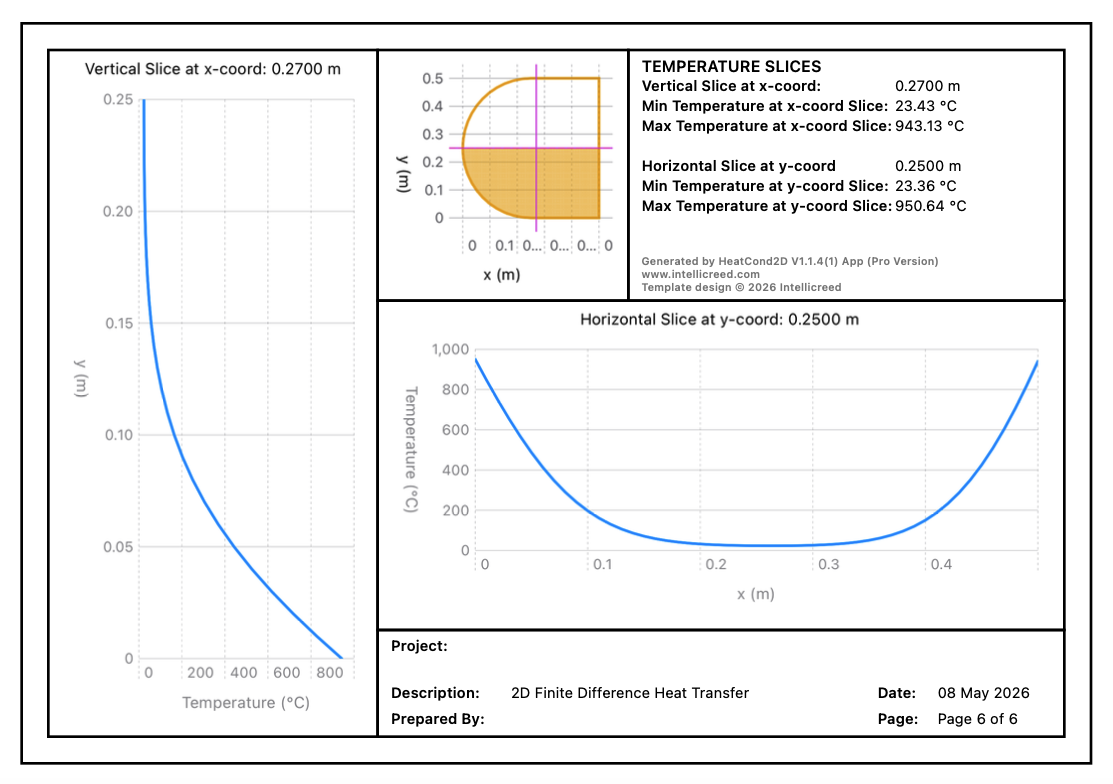
■ Cross sectional temperature slice.
■ Time-temperature history for up to 5 selected nodes.
■ Customise point, element, node and mesh properties (e.g., colours).
■ Save created models for future access.
■ Export results to PDF.
■ Import and export input data from and to .txt file for file sharing. (AVAILABLE NOW!)
Tutorial Videos
Latest Feature
■ Import and export input data from and to .txt file under Files.
■ Example sample .txt files here.
■ Note: HeatCond2D Trial Version can import and open the .txt files for viewing. Download link below.
Highlighted Feature
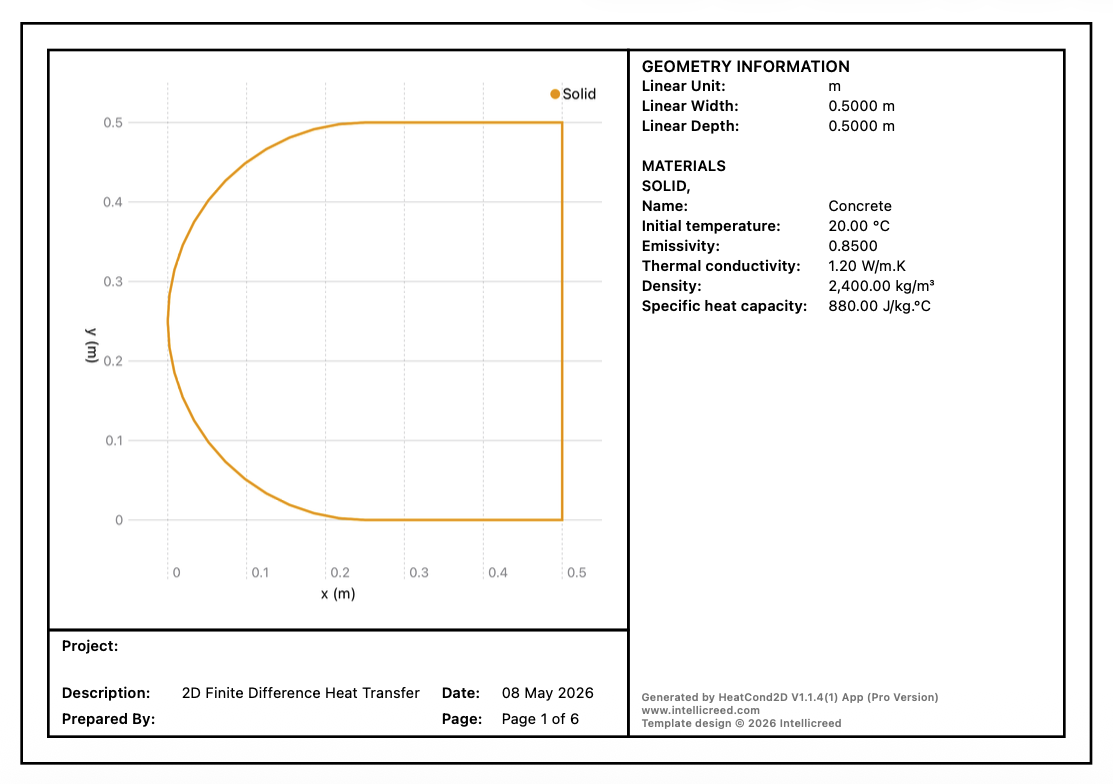
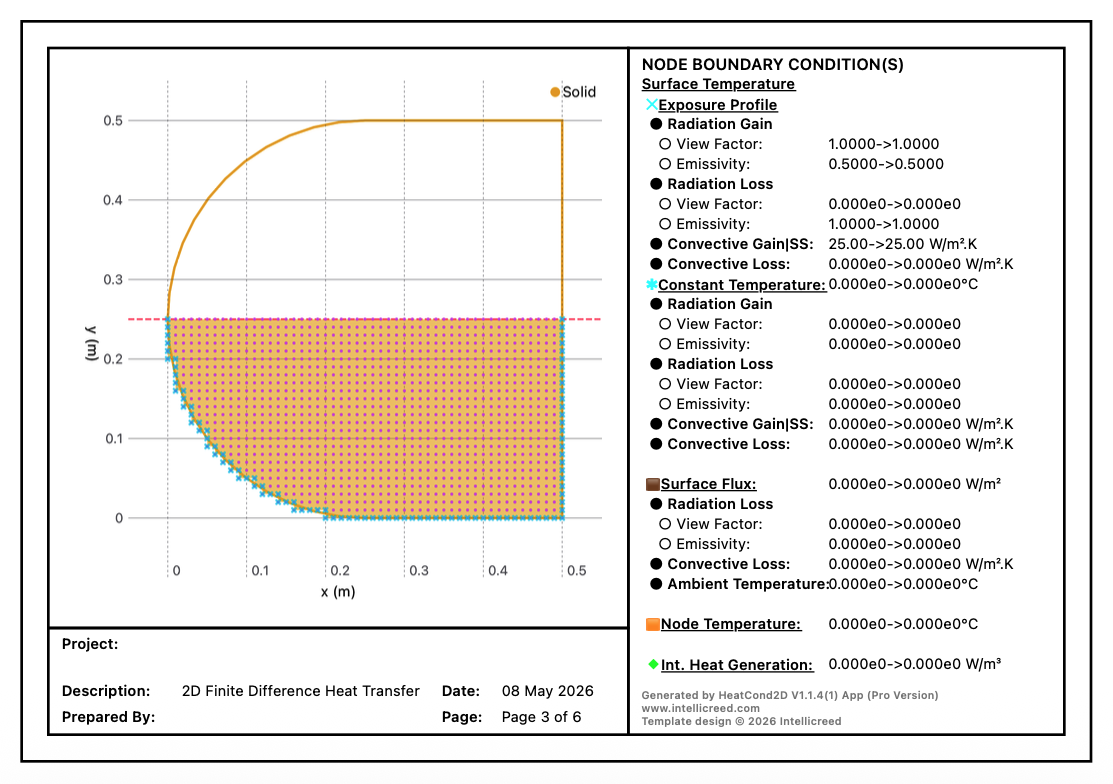
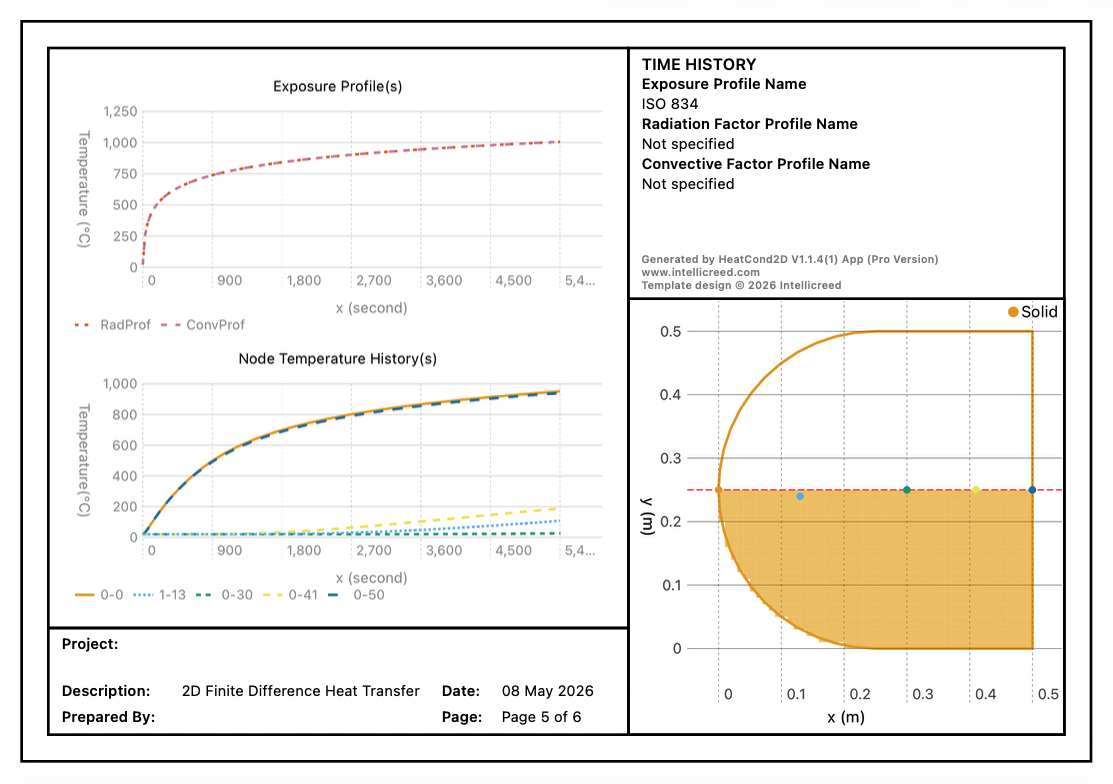
■ Export results to PDF. Try it in the trial version.
HeatCond2D: Reimagining Thermal Analysis
For years, we observed a persistent bottleneck in the engineering world where computational thermal analysis was confined to complex, commercial desktop software. Because of steep licensing costs, these tools remained entirely out of reach for students and independent professionals. Even within large corporations, licenses were limited, forcing engineers to queue and wait for their turn just to run a simulation.
The idea for HeatCond2D came from a moment of pure curiosity at a previous workplace many years ago. We watched a colleague write a script just to analyse heat transfer for a concrete section. The output was a wall of raw numbers, but the underlying utility was fascinating. It got us thinking, what if we could take this power, couple it with visual clarity, and put it directly into the hands of every engineer? We carried this vision for years, waiting for the right moment to build a solution that was fast, accessible, and completely unchained from a desktop desk.
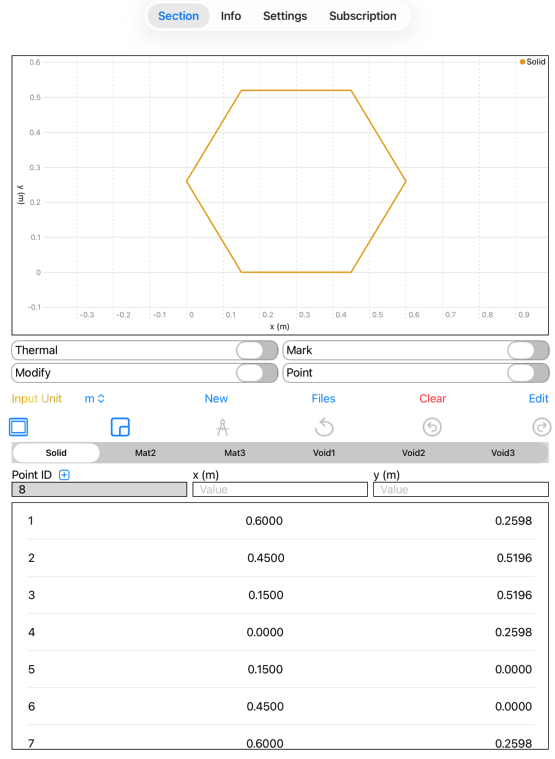
When we finally began developing the app, our core priority was to simplify the user interface without stripping away professional capability. We started by integrating it with our geometry creation part of our section property app, GeoProp, to ensure geometry creation was seamless.
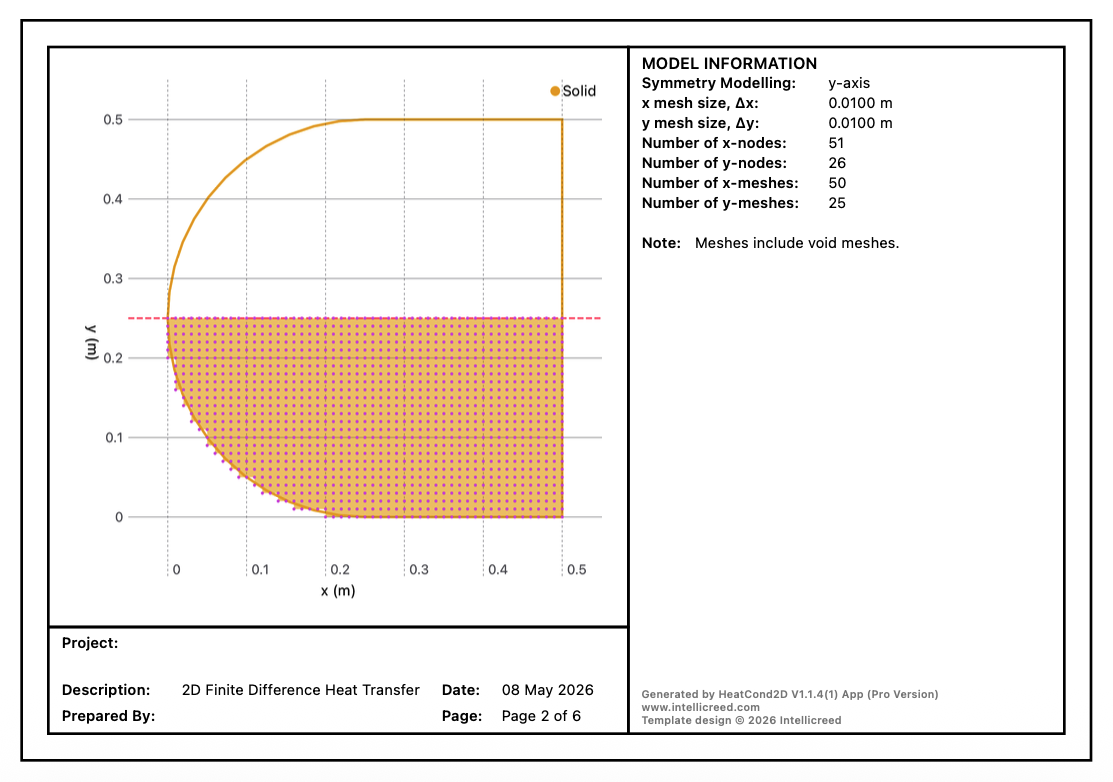
However, bringing computational heat transfer analysis to mobile devices meant confronting immediate hardware and computational limits. To solve this, we decided to develop the heat transfer app using the two-dimensional explicit finite difference method and introduced symmetry modelling, allowing users to reduce the computational load by analysing halves or quarters of a shape without sacrificing accuracy.
Every feature we added was driven by a desire to optimise a user’s workflow. We knew from experience that manually creating meshes is tedious and time consuming, so we engineered an intelligent auto-meshing system to get users moving instantly, while still leaving the door open for manual adjustments if a specialist needed finer control.
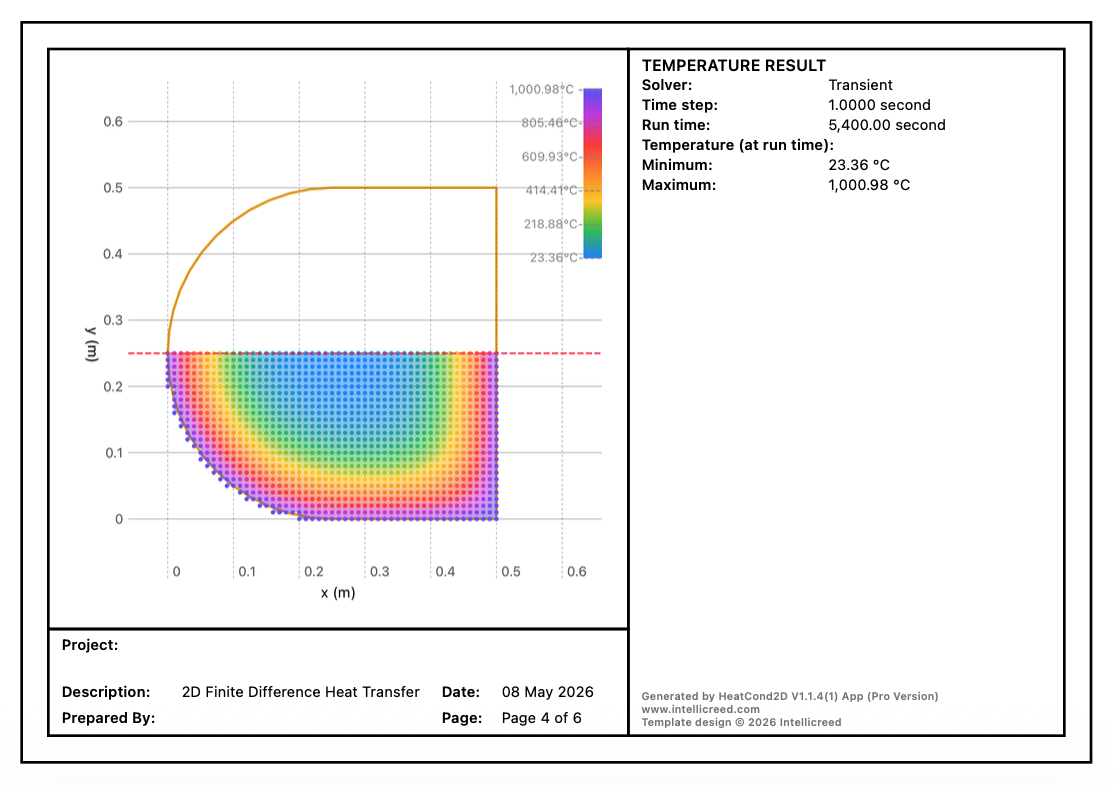
We packed the engine with both steady-state and transient solvers, alongside standard boundary conditions, giving users the flexibility to model real world thermal scenarios right on their devices. Finally, we tackled the final roadblock of commercial software which is reporting. Instead of spending hours manually compiling data and screenshots into spreadsheets, we built an export to PDF feature to generate polished engineering reports instantly.
Ultimately, we envisioned HeatCond2D as a bridge between academic theory and rapid field deployment. For students and educators, it serves as a visual learning companion. Instead of just memorising equations, students can use the app alongside manual calculations to instantly visualise temperature distribution and see how cooling or heating modes actually work within a section. For instance, heat transfer through sections made of different materials like concrete and steel.
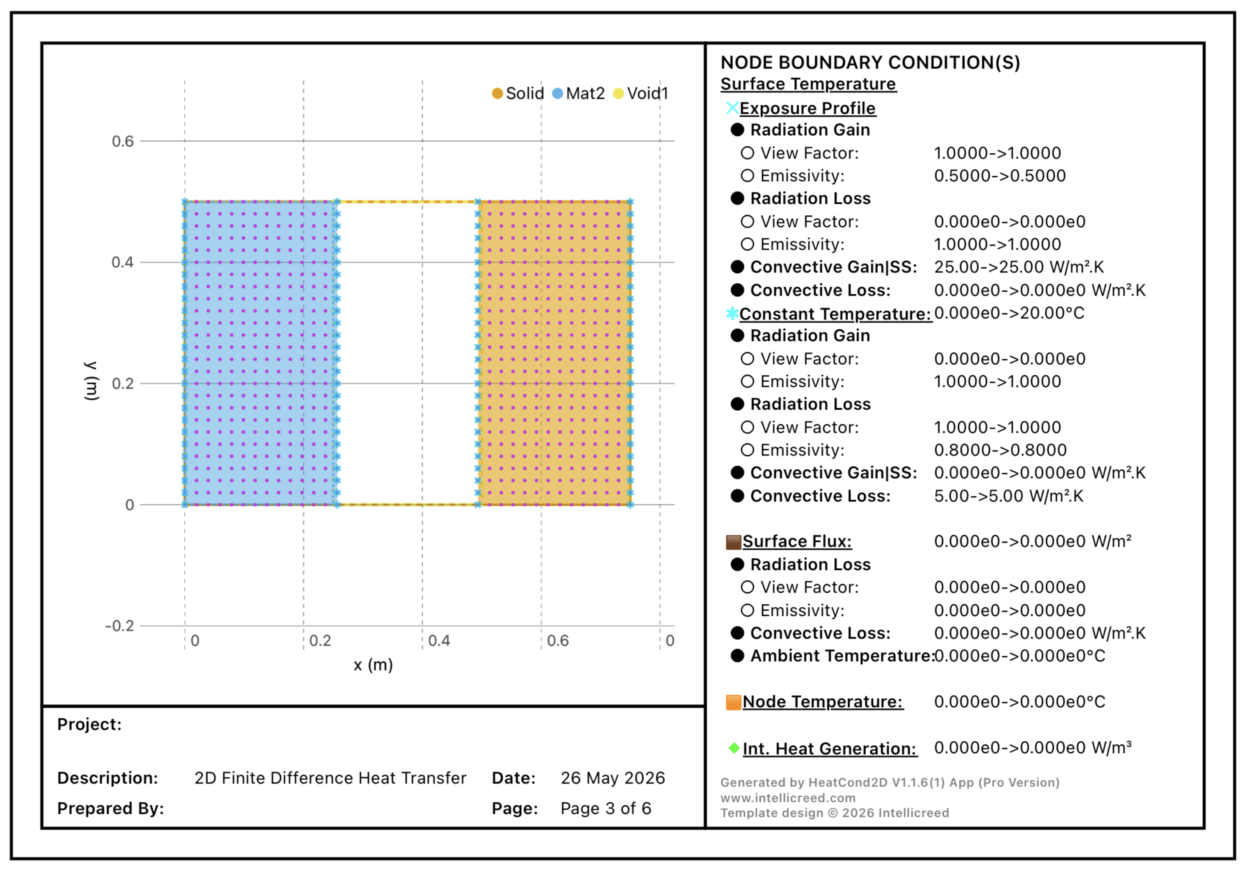
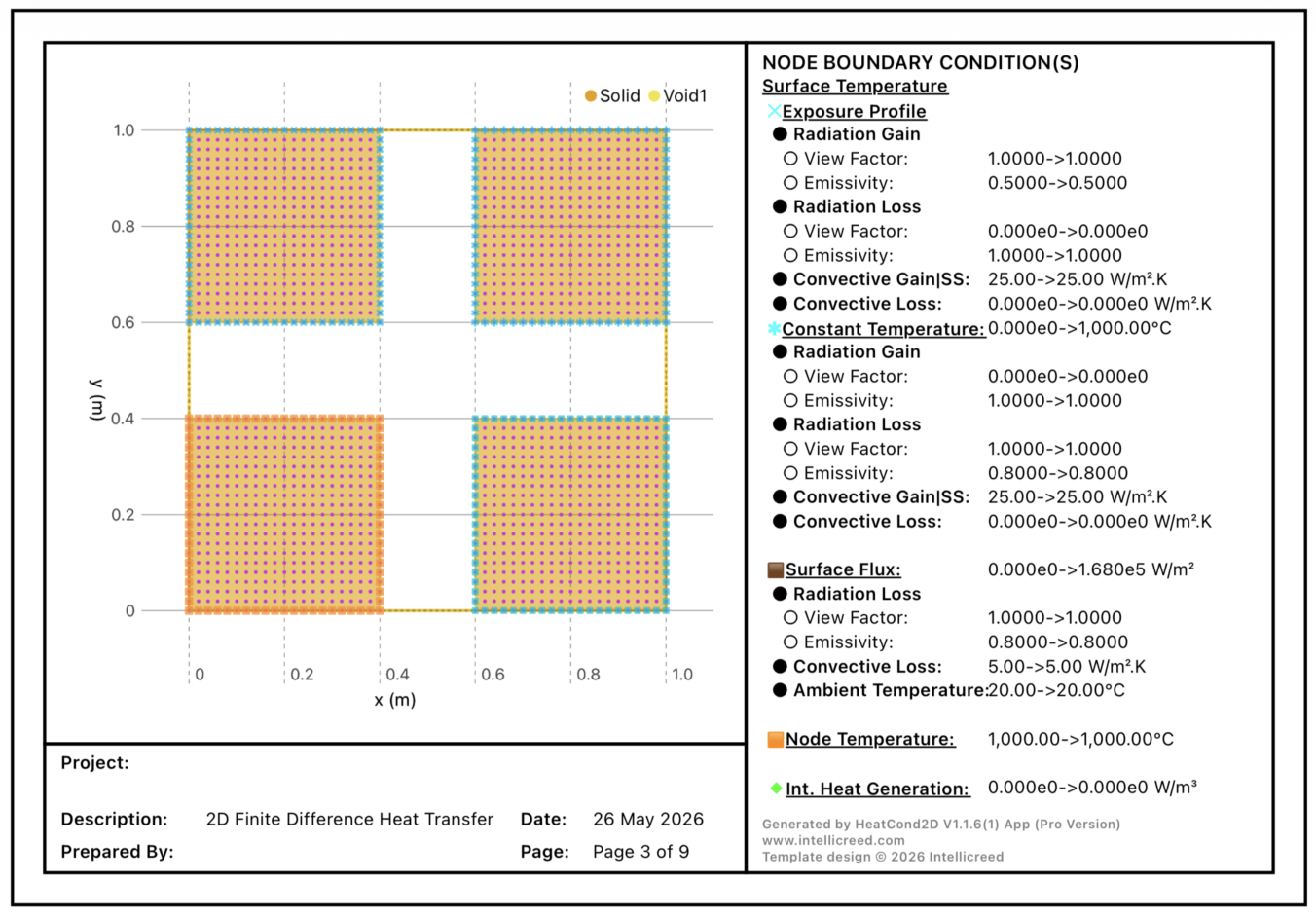
Figure 1: HeatCond2D User Interface 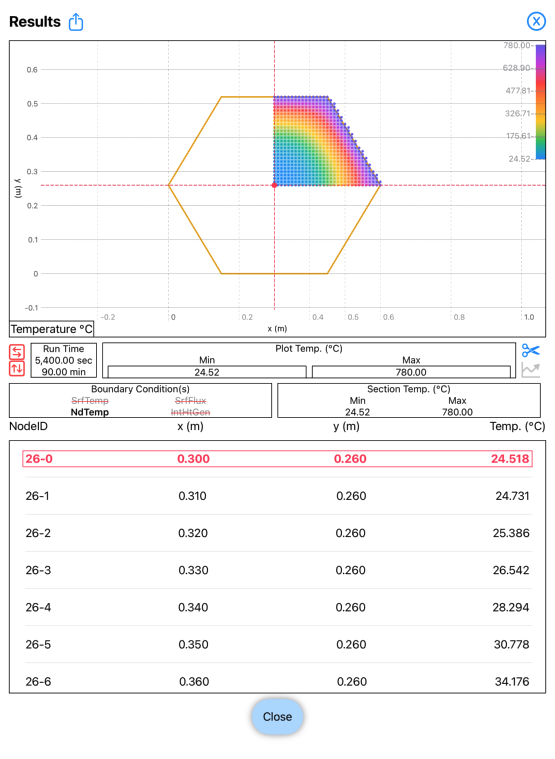
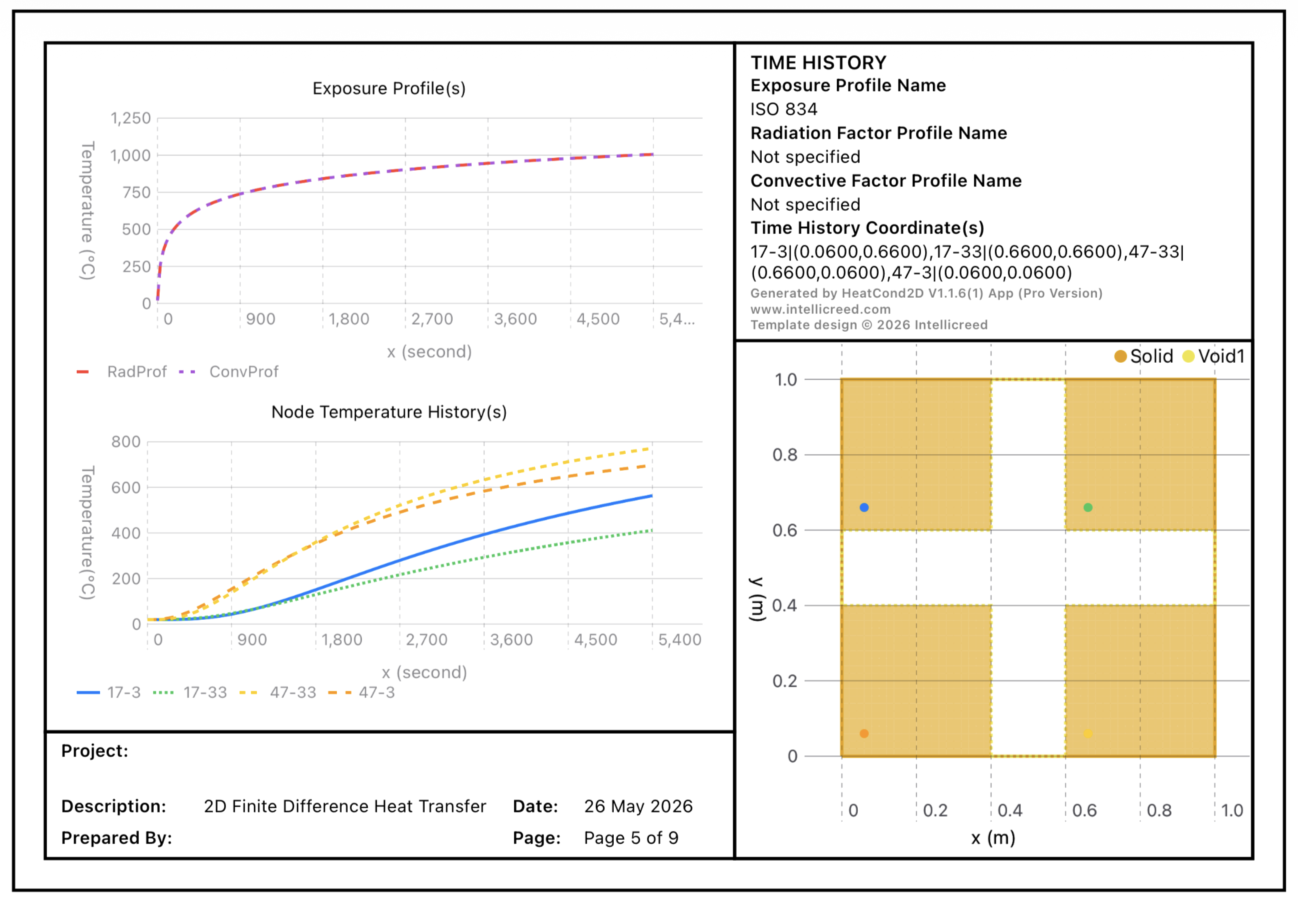
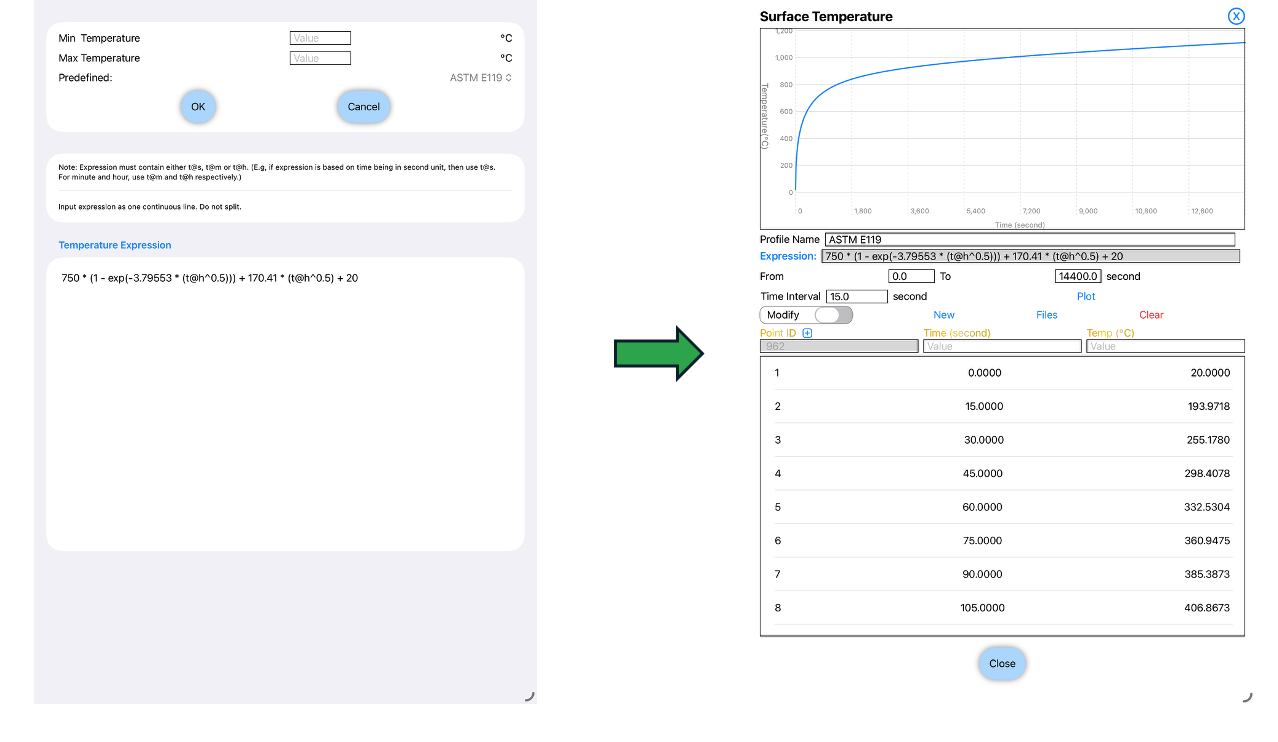
Figure 2: Symmetry modellingWe all know that sometimes the exposure might not be constant but time dependent. While users are given the feature to manually enter the temperature with time, we have also develop a feature to allow the users to specify the temperature profile as a function of time to save time if the temperature can be expressed as an expression. In addition, users are also provided with a feature to use their own created profiles.
Figure 3: Specifying temperature as an expression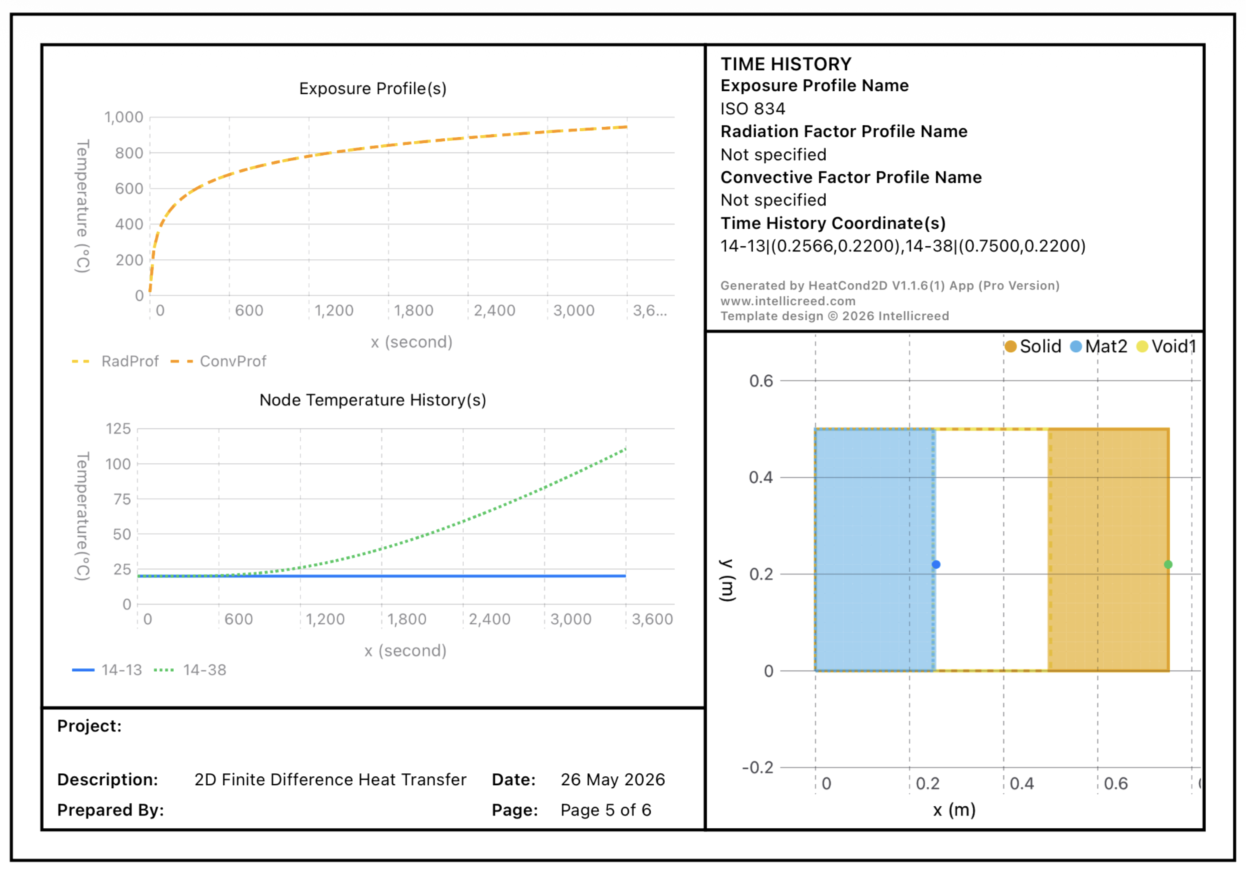
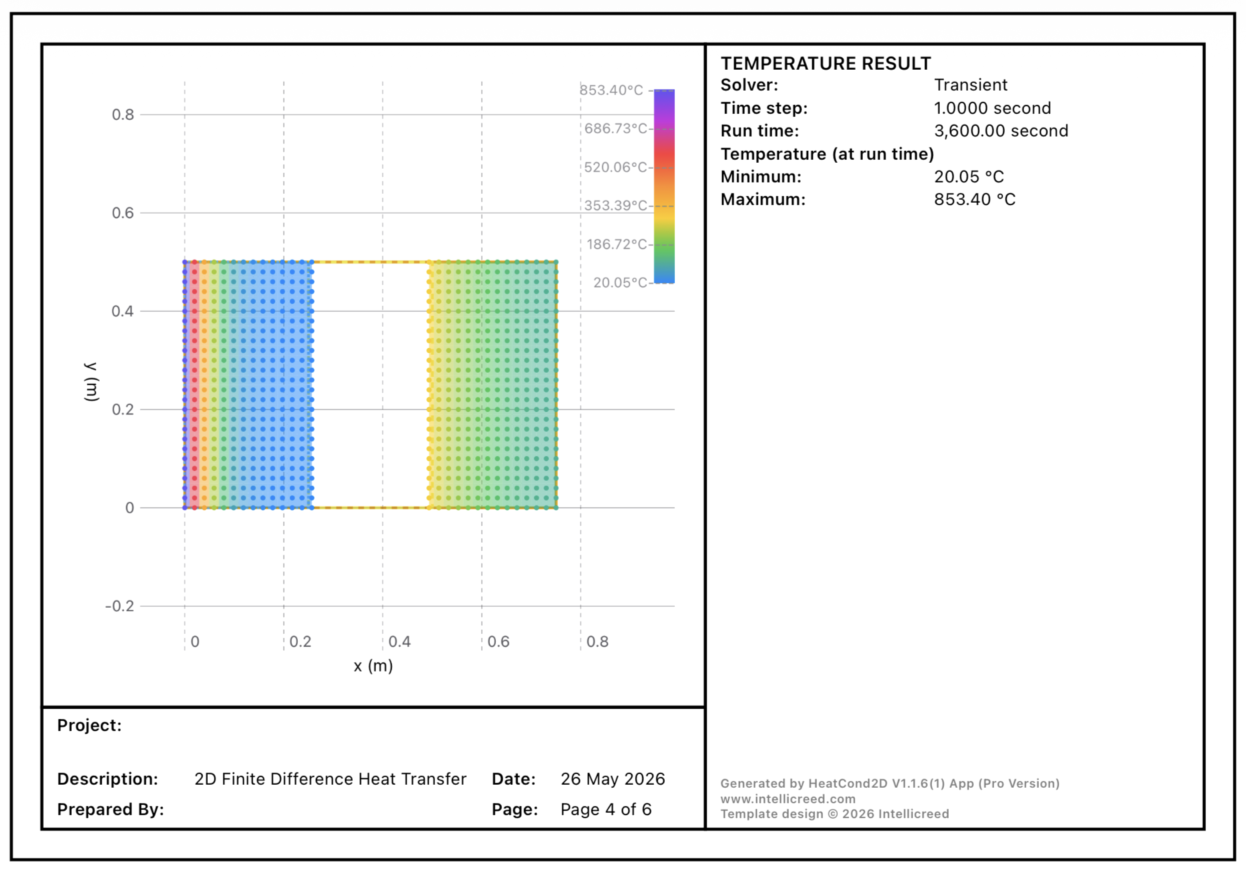
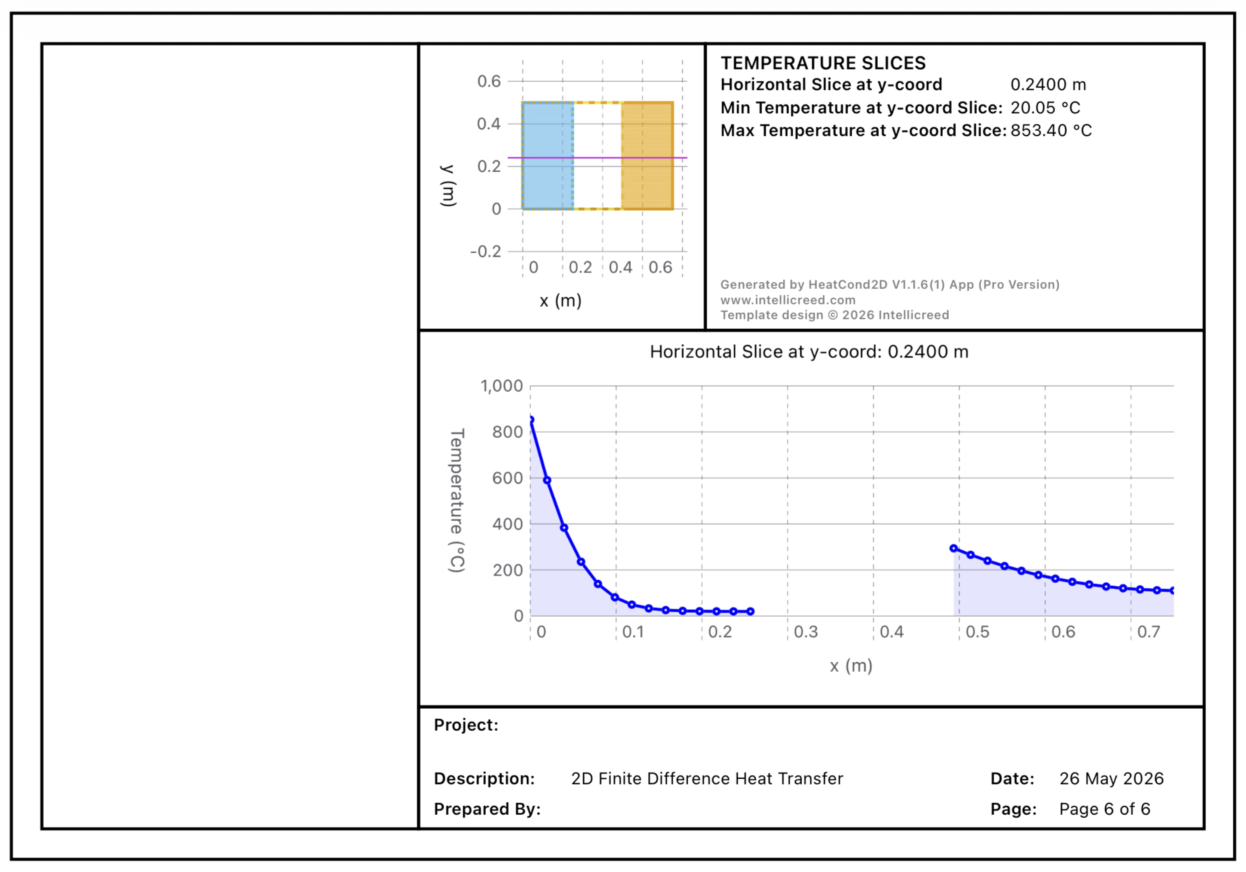
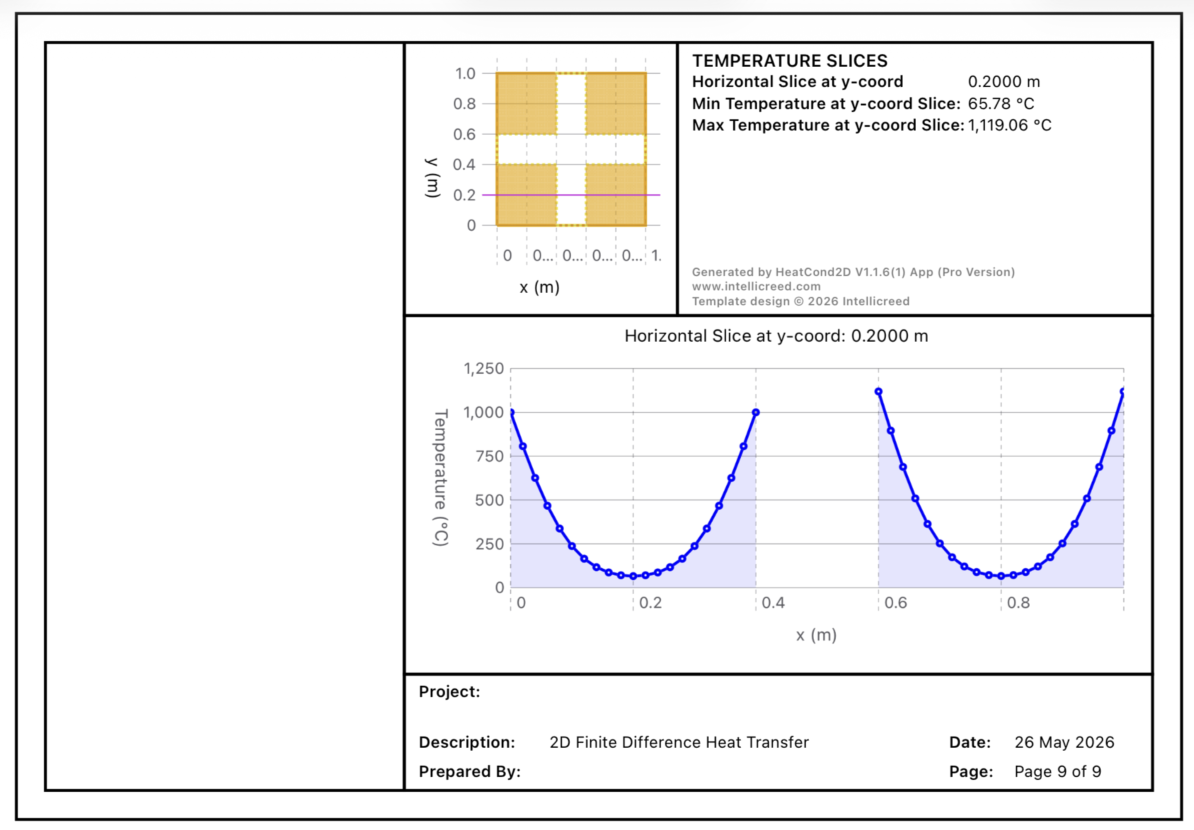
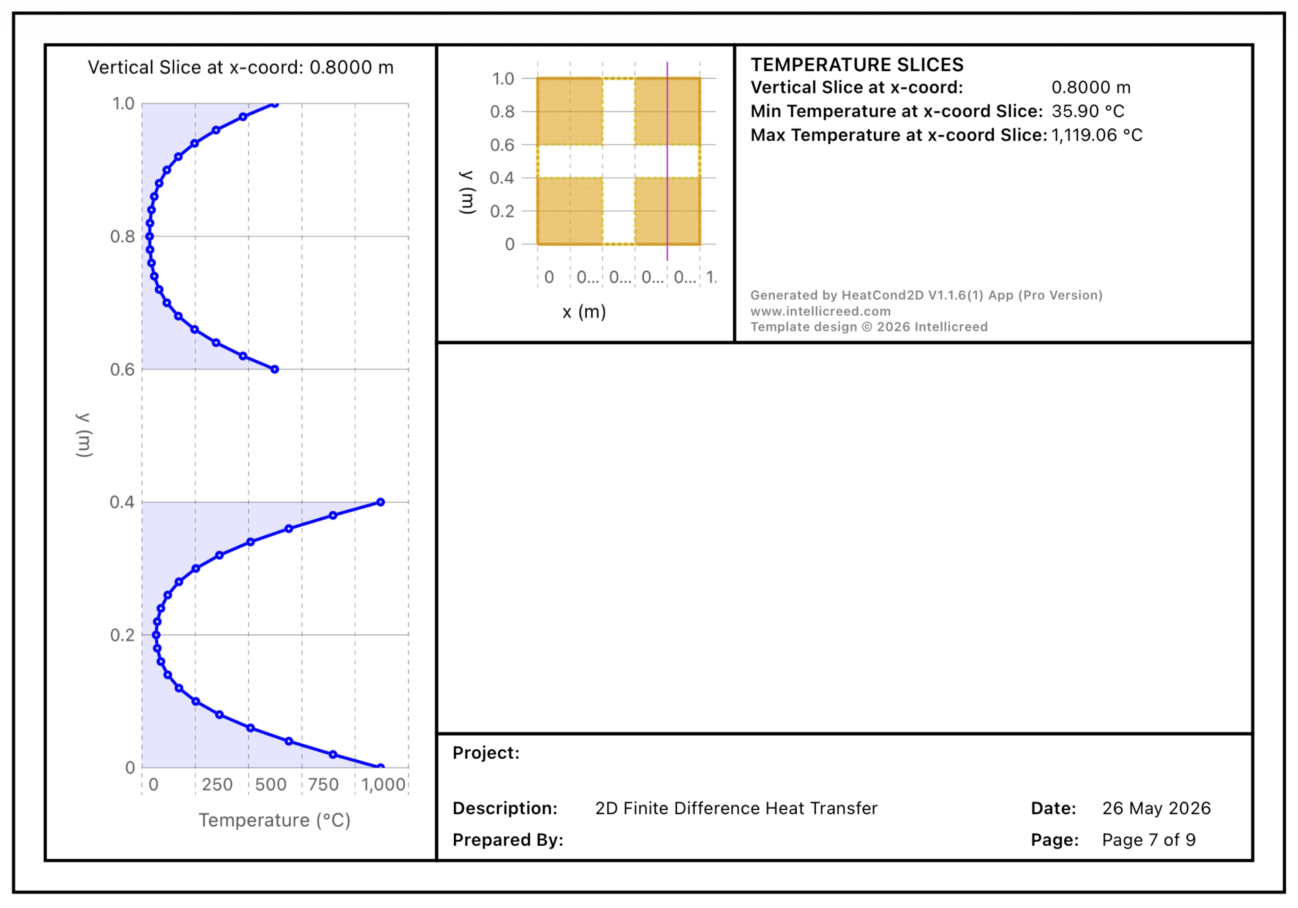
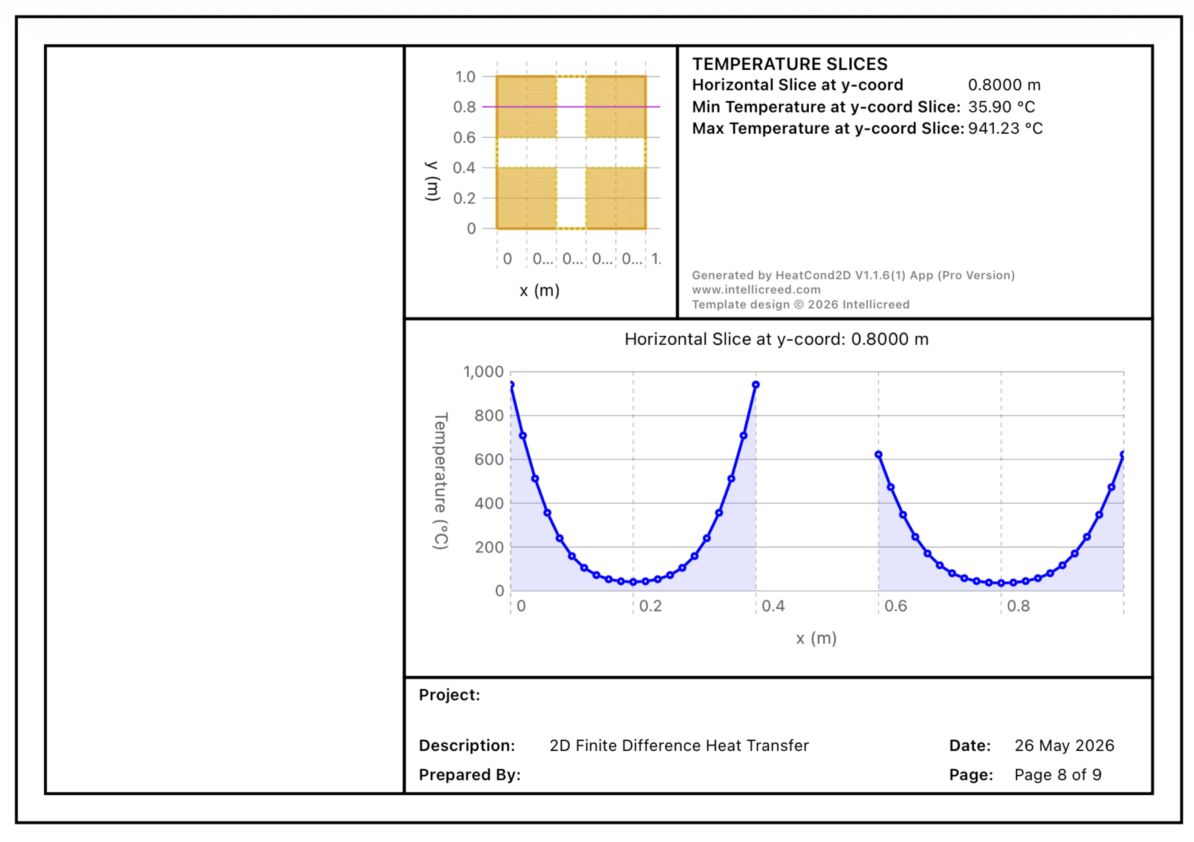
Figure 4: PDF report of heat transfer analysis for a concrete section and steel sectionFor professionals and researchers, it acts as a rapid design tool. Before diving into laborious, time consuming simulations on restrictive commercial software, engineers can use HeatCond2D to rapidly iterate through preliminary scenarios, test simulation options, and lock down design directions, for instance, a square concrete column subjected to different boundary conditions.
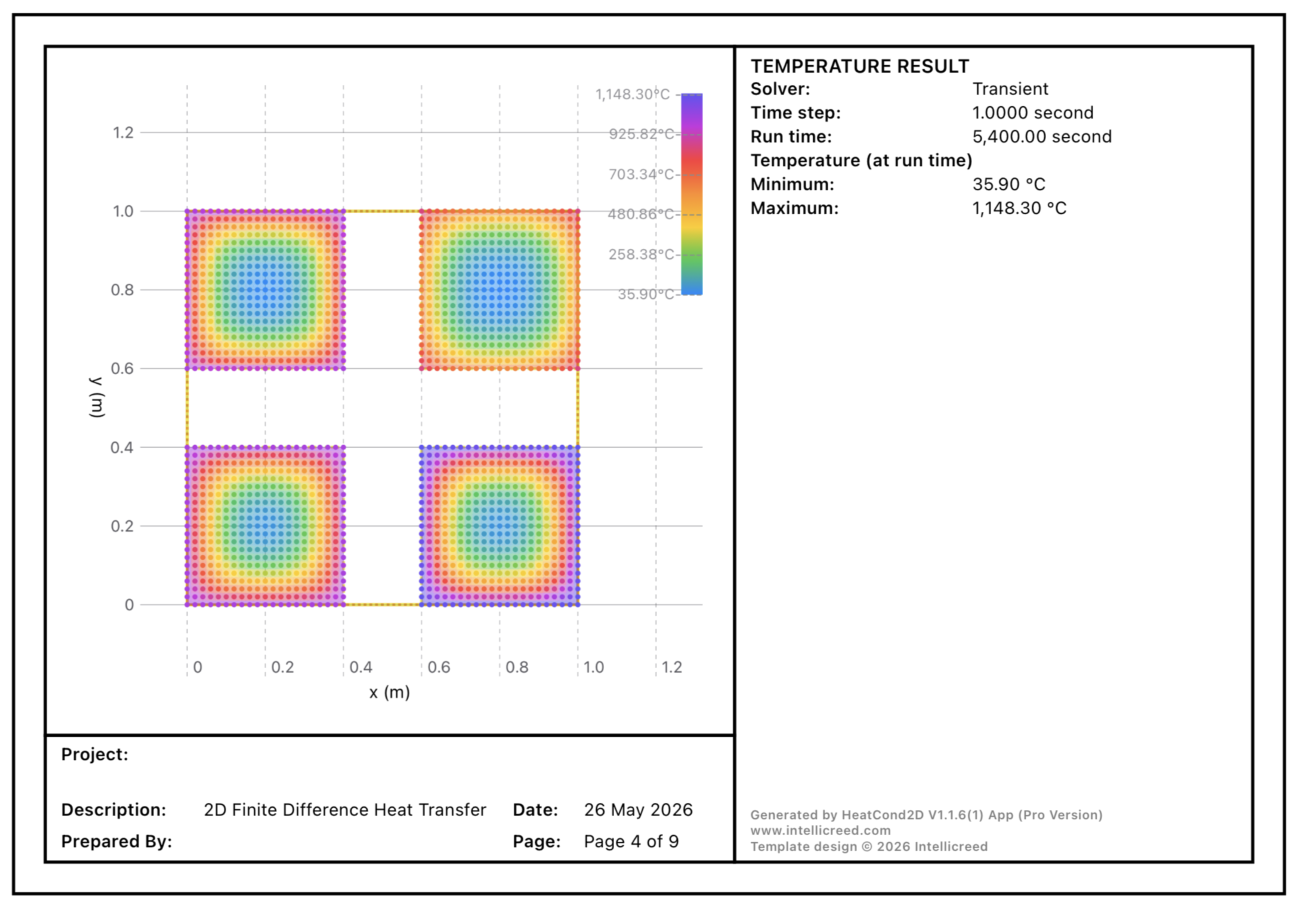
Figure 5: PDF report for square concrete columns with different boundary conditionsWe are incredibly grateful to our active subscribers whose support makes this app possible and keeps us innovating. Please feel free to drop your comments or queries.